how I use claude code to make $100k/mo with youtube automation
Search & chat across thousands of video summaries. Free to start.
Watch on YouTube
Transcript
So, what you're seeing right here is a completely faceless YouTube channel, and I can tell you that 90% of the production that goes into this is just AI along with a very simple virtual assistant. So, this channel just costs a few hundred bucks per month to run, but if we take a look at the revenue here from the last 30 days, you'll see that they have made over $18,000 in ad revenue from YouTube. And those $18,000 are based off of 3.1 million views. I'm not here today to just show you a faceless YouTube channel done right.
I'm going to reveal to you information that people charge thousands of dollars for, and that is how to automate one of the most important parts of a channel like this. And that is the script writing. And just to give you a quick teaser here of what we're going to create, this is an internal tool that I've made with Claude Code in just a few hours. And basically what it does is that you can see here, I can filter this based on my project.
Right now, I want it to write copy for my personal brand. We're going to make this for a faceless YouTube channel, of course. But here I can also select what kind of copy that I want. And the good thing with this compared to a normal AI tool like ChatGPT, is that this tool will always one-shot the quality and make the best copy that you've ever seen.
This is all going to make way more sense as we progress more into the video, and you'll see why this tool is able to just generate the best copy you've ever seen. But you can also see that I added some features here like the bulk generation, so I can just generate as many scripts as I want with my own Claude subscription. This doesn't even require a Claude API or Anthropic API to run it. So, it will just be running on your existing Claude subscription with Claude Code.
And keep in mind that these are the types of tools that me and other people who are running these YouTube automation kind of businesses at large scale are using. I made over $3 million from YouTube at 21 years old, in case you don't know who I am. I've helped over 500 people launch these successful channels themselves. So, these are the methods that you should be using if you want to be able to create a channel like this of your own.
So, let's just get right into it, and no, you don't need any technical experience to set this up or to use Claude Code. It's all very user-friendly if you just follow the steps in this video. So, what you're seeing right here is called Google Anti-Gravity. It's an IDE, it's called we can put it on the screen.
In theory, you could use your normal terminal app that you already have installed on your computer, but that won't be as good as you can't be using any of the agentic features that Google Anti-Gravity has, for example, uh in order to install Claude Code and perform any task. If you want to download Google Anti-Gravity, just head over to the link that I placed in the description. It's called Google Anti-Gravity, as you can see here. Download it for your device, and then when you open it up, it's going to look something like this.
The only thing that you will not have is the folder structure here to the left, but that is what we're going to get into and why this is so overpowered. So, now that you have the app open, you can simply open up a new terminal like this. Boom, done. And now you need to install Claude Code, which is what you're going to be using inside of this terminal.
And since it is not an app that is a part of Google Anti-Gravity here, you need to install it externally. But the good thing is that with Google Anti-Gravity, we can just use their agents to install it for us. So, you can see the exact steps that I took to install it for myself. You see that you have a kind of chat window here.
I just wrote to the agent, "Install Claude Code for me." It installed the Node.js, which is what you need in order to run this. Then, uh I wrote just now, "Install Claude." And you see that Claude Code was installed and ready. And then in order to start Claude Code within the terminal, you simply just write Claude like this. Boom, you're going to see it's going to fire up.
And this is probably when you have to log into your Anthropic account, cuz you do need an active subscription to run Claude Code. But if it looks like this with the little mascot and no other prompts telling you to do something, you are good to go. You can write something like, "Hello," to just see how this works. This is basically like you chatting with ChatGPT, but it is on steroids.
It's 10 times better, and it can perform basically any task that you want for it. And as you can see, we got a little response here, "Hello, what are we working on?" Now, the insane part with this method, and what you're also going to be able to use across all of your businesses, if you run anything else, is that you're able to create a folder structure like this with unlimited context about all of your personal life, your projects, your different YouTube channels, which is what I'm going to show you.
And Claude Code will then remember all of this context and use it for every task that it performs, and most importantly use it when you're generating copy inside of your own kind of copywriting studio app. And this is also how it always generates perfect copy, cuz every single time I generate, for example, a personal brand tweet, it will look at all of my past tweets, also the highest performing tweets from my competitors, and then based on that, it will factor in all of that context and then write the perfect tweet with that in mind.
But in order to set it up, you would need to be in Google Anti-Gravity. And let's say I want to create a new context folder for my YouTube channel like Dark Horizon here, then I would just ask Claude something like, "Create a new context folder for one of my YouTube channels, Dark Horizon, please." And we will see what it whips up. And almost always when you work with Claude Code, it's going to ask you for permission to proceed, but I just always select yes and let it go. And as you can see here now on the left-hand side, Claude Code created the Dark Horizon context folder, but I want it to be included in my copywriting tool, so that's what I'm going to say.
And you can see that I wrote a prompt here, "I want it to be included in the copy rate generator tool. So, I'm going to be providing a bunch of script transcripts for you to train the copywriting tool on. All scripts need to be perfect following the exact style for the references." Just send that. It's now going to restructure the folder structure a little bit, I I believe.
But the reason why we're going to get a bunch of script references, of course, is that we always want to model the successful channel on YouTube. Obviously, they are doing a very good job of getting views and creating content that intrigues people. Considering that they got 1.1 million views 3 weeks ago, this single video has made them over $10,000, most likely, if not more. And you can see that they're doing a very good job with creating content that people like.
So, we would be stupid if we're not modeling the exact kind of language and voice and scripts that they are using for their own content. So, whilst Claude Code is working here, what you can do is just head over to the Dark Horizon channel, filter the videos for the most popular ones, then just pick the five most viral videos. You can see that they have five videos here that have got a very good amount of views. You want to transcribe these, so you can either just click on this, for example.
You just scroll down a bit, press on share. You can head over to a site called transcript.youtubetotranscript.com. Paste in the URL, you'll get the free transcript. You can also go into the description, and here you can just see the transcript of the video if you press on show transcript, and boom, you'll get the entire transcript here.
However, this is just easier to copy, cuz now I I have it all copied to my clipboard, and we can move on to the next step, which would be to open up Google Docs. So, in a fresh Google document here, you would just paste in your script like this, name it something like Dark Horizon one. I've already done this for four scripts before recording, so I will name this five, because I need a fifth reference script. Just name it like that, and then download it as a markdown.md file, not a docs file or a PDF, a markdown file.
And that is just due to Claude having an easier time kind of reading the markdown files. And you can see here that I have five different reference scripts here now ready for me to train Claude on. And one important thing here is that you can see that I've saved them all in my downloads folder. That's going to make a whole lot of sense in just a second.
So, I'm now back here at Claude Code, and you can see that Dark Horizon is wired into the copy generator. So, I go back into my app here, I refresh this, and we should see if that is now possible. Yes, you can see here, uh one of the projects is Dark Horizon, and we can use that for the scripts. But of course, Claude doesn't have the reference scripts already, so it cannot really generate a good script with the correct voice and everything.
So, what we need to do is head back over to Claude Code, and we need to train it on the reference scripts that we already have in our downloads folder. The cool part with Claude Code is that it can access your computer, so I can just tell it like, "The five reference scripts are in my downloads folder named Dark Horizon." Boom, send that, and you will see that Claude will now fetch the scripts from the downloads folder. I just need to approve it. It's going to read all of them, and then it's going to start adding these scripts and creating kind of a script writing SOP for itself, so it always knows how to write the scripts and make them perfect every single time.
And it's going to train itself on the length, it's going to train itself on the voice, on the topics. It's going to train itself on everything, and that's just why this is completely insane. And boom, you can see that it's now done here. It's ready to generate.
We can just pick the Dark Horizon kind of project here in the tool, generate script. If we want it to be on a specific event or topic, then we can just put that in the brief as well, but I don't have anything in mind, so I will just generate the script. It's going to take like 30 seconds, a minute, and the script will be generated. Now, it's going to take this amount of time, because when I built this tool, I asked Claude to hook it up to my Claude subscription and not use the Anthropic API.
But if you do connect any form of API like ChatGPT, OpenAI's API, or Anthropic, then the generation will be pretty much instant. But whilst that is generating the script, I'm going to walk you through how you actually get Claude to build this tool. So, it really isn't harder than you just asking, "Hey, I want to turn this, um you know, context that we have about this channel into a locally hosted script writing tool." You just send that, you give it more details on if you want to be able to bulk generate stuff, if you want to be able to, you know, add a brief or add a screenshot, if you want to script based on a screenshot, whatever.
Then Claude will just build that onto you. It will send you the link to the locally hosted site here in the terminal. You just click on that, and you get taken to this site. One thing that is worth to mention is that locally hosted sites like this does not work for anyone else to access.
So, only you can access this, and if you do want to invite team members to access your tool like this, you will be needing to host it with some kind of, you know, hosting software like Verso or any form of hosting platform. But as you can see right now, this script has been generated. It seems to be good. It also has a bunch of niche information about some, you know, tornado on Joplin, Missouri.
And I can tell you that this script is 100% guaranteed to be a perfect script in comparison to, you know, the scripts that our competitor has. I have never in my career found a better way to generate written content than using Cloud Code like this. So, I can highly encourage everyone that is watching this content to just spend the extra few minutes to set this up and you're going to thank yourself so much in the future. The even cooler part with Cloud Code is that you can customize everything to your own liking.
So, I added a send to Trello button here. I've already clicked it. I can then press on open card and you will see that I will be taken to the card in my Trello board, which is where I manage my team for a channel like this and it will already have the entire script attached to the card, the title, everything and it's just existing in my board here. Now, since this was a completely new channel created as an example, this was added to the wrong board, but you would simply just head back over to Cloud Code and tell it which board that you want it to be added to.
Now, I don't want to overwhelm you guys with too much information, but using Cloud Code you can even build more automated boards like this one. You can see that we have a bunch of different states right here, topic approved, script in review, script approved. So, the moment I drag a card from script approved, uh from script in review to script approved, it will go ahead and generate the voice-overs automatically through Cloud Code and the ElevenLabs API and then attach all of those voice-over files into the card and everything just completely 100% automated.
That's going to have to be for another video how to set it up, but if you are interested in me making more in-depth Cloud Code tutorials on how to, most importantly, apply this for YouTube automation, then comment the word cloud or comment anything. If there's enough demand in the comments, enough likes on this video, then I'll just continue creating these free tutorials for you guys. And to just prove to you how crazy this really is and give an insight of what is happening if you apply these strategies consistently, here's a glimpse inside of my private community, my coaching program where we help people launch these faceless YouTube channels.
And these are literally chats from yesterday. First 2 days of being monetized for Uni here. He generated over $766 in 2 days. Pretty good for a completely new faceless channel.
If we just scroll up a little bit more, more monetizations. Ash's first month of monetization, 7,6 $700 in a single month. And keep in mind that this guy started this channel just 1 and 1/2 months ago. Got monetized in two videos he posted.
And now it's made over $7,000, which is completely insane. And I believe we can just continue going here as well. For example, Jamshed been trying different online business models since 2018. Um he tried Amazon FBA, Etsy, drop shipping, wholesale, crypto, Facebook Marketplace, everything.
Uh it didn't really stick for him, but then when he tried YouTube automation instead, he launched a channel what seems to be 3 months ago, 2 months ago and that has already generated over $10,000 in total ad revenue from YouTube. And I can just continue scrolling here. There's just going to be more people blowing up with their first channels, getting traction, getting monetized. Here's actually an interview with one of our students and all of these interviews and case studies that I have with students, they're available on the channel that you're watching on YouTube right now.
So, you can verify all of these results yourself if you want to. I don't mind. I'm just trying to remain as transparent as possible. But that's pretty much it for this video.
If you're interested in joining this program as all of these guys did a few months ago before they launched their first successful faceless YouTube channel, then just apply through the link in the top of the description. We don't work with everyone due to the fact that this program is a very premium experience. We will research and give you the niche that you enter, me and my team of coaches that are making tens of thousands of dollars with YouTube every single month. We will also connect you with freelancers in our network of freelancers that we work with before, so you don't have to worry about that.
We will basically help you with as much as possible so that you can just focus on staying consistent, uploading the content and being the kind of mastermind behind the channel in terms of the ideation. But if that's the kind of approach that you're looking for, definitely shoot your shot and apply. If your application looks good, we'll be in touch. If not, no hard feelings.
But yeah, I'm going to put one of the interviews, I think it's this side, on this screen here. Uh click it, watch it and I'll see you in the next video.
More from Leo Grundström
![How to start a faceless YouTube channel with AI [2026 GUIDE]](https://i.ytimg.com/vi/FeBpl1AM3jk/hqdefault.jpg)
How to start a faceless YouTube channel with AI [2026 GUIDE]
![how to create PERFECT YouTube thumbnails using AI [EASY]](https://i.ytimg.com/vi/40s1uzpU71s/hqdefault.jpg)
how to create PERFECT YouTube thumbnails using AI [EASY]
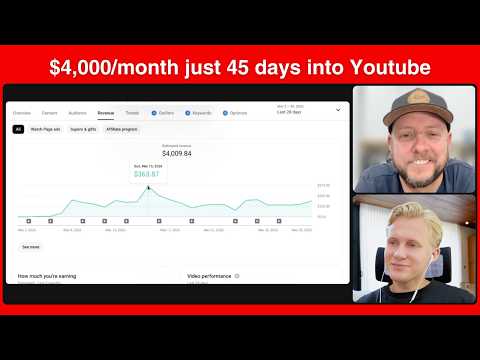
How Brian hit $4,000/month in 45 days with faceless YouTube (INSANE JOURNEY)
26 min
![$14,659 in 1 month with a faceless AI channel [FULL COURSE]](https://i.ytimg.com/vi/0l1eq9OFb0M/hqdefault.jpg)
$14,659 in 1 month with a faceless AI channel [FULL COURSE]
31 min
![How I find UNSATURATED youtube niches with AI [EASY METHOD]](https://i.ytimg.com/vi/X3VMKwnJniU/hqdefault.jpg)
How I find UNSATURATED youtube niches with AI [EASY METHOD]
21 min
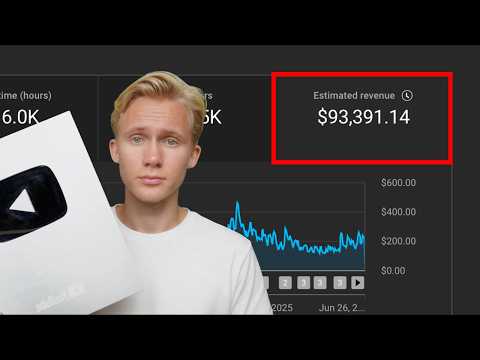
how I made $93,391 posting AI YouTube videos (as a beginner)
21 min
Want more than one video?
Search, chat, and build a knowledge base from thousands of videos.
Get started free