How to start a faceless YouTube channel with AI [2026 GUIDE]
Search & chat across thousands of video summaries. Free to start.
Watch on YouTube
Transcript
This YouTube channel that you're seeing right here, it's posted 12 videos, most of them just being entirely created with AI. And in the last 30 days, it's made over $15,000 in ad revenue paid out from YouTube. And the reason for that, if we just take a look at the analytics here, you'll see that the revenue, it will say $18,000 actually, which is even higher. They've got over 3 million views in just the last 30 days.
And the RPM that is estimated by this tool, I can actually tell you that is way likely to be higher than $6. Because if we take a look at the kind of audience demographics, you'll see that almost half of the viewers are from the United States. And if you're a beginner, what that means is that you will naturally have a higher RPM due to YouTube and the advertisers on the platform wanting to reach a US audience since naturally US people have more money than for example people from India. And before you say that this is some here is another channel that I'm inside of the dashboard of.
In the last 90 days, it has generated $14,000 in ad revenue. And you will see that the channel is kind of on a decline here, but that is due to the fact that this channel has been running for a very long time. This is 2025. So in 2025, it generated $142,000.
That is an average of more than $10,000 per month consistently for an entire year. And that's exactly what we're looking to achieve with this faceless YouTube channels, kind of being a consistent long-term digital asset that you can have in your portfolio just running automated with AI. And what's even crazier is that this channel in a single day has generated over $7,000 in ad revenue. So the point of this entire video is to show you as a beginner how you could get into this and start a faceless YouTube channel of your own needing no prior technical experience.
I've launched over hundreds of these faceless channels. I've taught over 500 people how to launch successful channels of their own. So I thought I'd just share some free knowledge in this video and basically show you the entire process a to see of how you could launch one of your own. But before I do show you that, keep in mind that YouTube automation is not a get-rich quick scheme of any sort.
It will take you a lot of effort to launch channels like this. You have to learn a lot about ideation, how the game works. It's not something that where you will just start a channel within, you know, 2 weeks, 3 weeks, and then become a millionaire straight away. So, you will have to put in a lot of effort.
If you're looking to make $10,000 in a week, this video isn't really for you. This is more of a long-term business model where you can build a portfolio of digital assets that keep on paying you even whilst you sleep. So the first step would be to find your niche in which you're going to create the content in. And I've already got standalone tutorials on my channel about how to find niches.
So I'm just going to kind of burn through this. These are the niche research criteria that you have to have in mind. All of these are not mandatory, but the more of them that you take off for your niche, the better. And if we just kind of check this with the Dark Ryzen channel that I showed you at the start, you'll see that it fits in quite well.
So, it's got 20,000 subscribers, that is perfect. It's below 100,000 subs. Is it started in the last 1 to 6 months? If we just filter the videos for the oldest here, you'll see that they posted their first video 4 months ago.
So, that definitely fits in as well. Has it gone viral? You might be asking. If we filter the content for popular, you'll see that yes, it's got 1.1 million views 3 weeks ago and it's also got 1 million views two weeks ago.
So that's very clear proof that the channel, yes, it has gone viral. And now here, is it growing systematically? If we just take another look at the channel, filter it for the latest videos, you'll see that they posted 5 days ago. That's a very good sign.
It means that they're not demonetized or and they're still making money from the content. And it's a very big green flag here as well that they got 1 million views from a video that they posted two weeks ago. It still means that these kind of tornado stories or you know natural disaster things are super relevant. A lot of people want to watch it.
So yes, we can definitely say that this channel is growing systematically for sure. Now the last two kind of criteria here is it recreatable? We can just take a quick look at, for example, the video that got a million views here. >> August 29th, 2005. It's early morning on the Gulf Coast and one of the most powerful hurricanes in American history. >> So, while this content might look super complex, I can tell you that it actually isn't.
All you need is an AI script, an AI voiceover, a cheap editor, which I'm also going to show you how to hire one in this video, and then you have the entire video done, ready to post. So, a video like this, it will not run you back more than $50, $60 at max. And if you make the calculation of the return on investment yourself, you'll see that they got one million views on this, maybe they invested, let's say, $60 to keep it on the high end, and they earned definitely over $8,000 from this single video.
So, that kind of return on investment you will not find with any other business model like affiliate marketing or crypto trading, whatever. Like, this is why YouTube is such a crazy opportunity right now. if you utilize AI the right way. But having seen this, yes, we can definitely say that the content is recreatable. This is very easy to create.
And then a bonus, are the competitors doing well? This is something that you have to research in your own time. Basically, what you would do, simply go over to the channel once again, filter for the most popular videos. Take this one >> just formed. >> Just copy the title of the video.
You put that into the search bar, search for it, and you will find a bunch of competitors that are posting or trying to kind of model this uh channel and make content about the right things. For example, like this one, Tornado Autopsy. They're seem to be making the exact same content with the same packaging and thumbnails as well. They got 5,000 subscribers.
They're posting every two days, which is a good sign. And they've already got content with more than a 100,000 views. So that is also a good sign that new channels are being established and they are also, you know, going semiviral at least. But as I said, this is something that you have to research in your own time.
The more kind of reps that you put in, the more sure you can be that your niche has, you know, good demand and that the competition isn't overwhelming or hindering you as a beginner to, you know, get a chunk of this niche and demand. But now that you're going to have your first niche and you're going to be sure that it is a good thing, you can move on to creating the actual content. And the first component of your video would of course be the script. Luckily, we can just generate this 100% with AI.
It's barely going to cost us, you know, a single dollar to make. It's actually very simple. Now, since I've already done YouTube for a long time, I've launched hundreds of these channels. My systems are kind of more sophisticated than just using a tool like Claude or Chattip to generate the script.
So, I've actually developed my own kind of script writing tool using Cloud Code, which I'm going to show you exactly how you can do it. But you'll see here that it already has a project called Dark Horizon. I did this only for the sake of showing you guys in the video. So I can generate an unlimited amount of scripts.
I can even bulk generate as many scripts as I want to with this tool. And the tool will literally oneshot the quality making the perfect scripts because this tool is specifically trained on the type of scripts that the Dark Horizon channel posts. So the output script you would get from a tool like this will be 10 times better than the output you would normally get from a, you know, normal cloud prompt and just sending this getting your script. So I'm going to show you exactly how you can quickly set up a tool like this.
It's way simpler than you might think. You don't have to hire a developer or pay thousands of dollars to get this made. You can with cloud code create this in a day or a few hours of time. So I'm just going to kind of speed run through that and show you how it works.
The first steps that you need to take is gather the content that you want your tool to be trained on. So we need a bunch of reference scripts of already viral content in our niche so that the tool can know how to form the scripts. You know what voice to write them in, what tone it should use, everything like that. So you would head over to the dark horizon channel.
In this case, I would just filter the content for most popular. And I would transcribe, for example, the five most viral videos here. This one with 71k views. We don't really want to use that as a reference script since it's only got 71k views and that's not really comparable to a script that has 1.1 million views because the quality and the way that you know for example the hook has been made for the 1 million view video it will be much better than the 70k view video and we don't want to train our tool on mediocre content so to say.
So I would just go ahead and click on this one >> inside. >> Then here I would just press on share copy the link. You can also get the transcript through the description here. You'll see that it says show transcript. And here you can just copy all of it.
But if you want to do it the faster way, you can just go over to a website like YouTube to transcript, paste in the URL of the video, press on get free transcript, and it's going to of course verify that I'm a human since I do this a lot. Uh, but then you would just press on copy and you have the entire transcript copied to your clipboard. Then you would simply head over to Google Docs. Just paste that in there.
Name the document to something like dark Ryzen. You know, if if this is script number 10, you would write name it number 10. Otherwise, number one. But you can see if I just go over to the files here, I've already prepared this and done this for five reference scripts right here.
So, you can see that I've already saved those on my computer and we're ready to go. But this is exactly what you would be looking to do. Just gather a minimum of five transcripts to use. And now we can get into the interesting stuff.
So, first of all, you need a kind of terminal tool or IDE it's called. The best one that I personally had the best experience with is Google Anti-gravity. All computers already have a kind of standard terminal tool, but that doesn't really it's not usually the best option to go with. So, just go with something like Google Anti-gravity.
You know, you can choose entirely up to yourself what tool you want to use, but this is by far the best one in my opinion. And then when you open up the app, this is how it's going to look for you in order to install cloud code because it doesn't just exist in Google Anti-gravity. And the reason why I I like to use this tool specifically is because you can just prompt the kind of agent here to the right and tell it install cloud code for me. It's going to install the necessary kind of apps that you need on your computer.
And then you can just write once again now install claude. It's going to say hey it's been installed and it's ready to go. Then you can just in the terminal here, this is called the terminal. You just write claud send it.
And if this little kind of mascot or icon pops up with cloud code, it means that it is installed on your computer and you're ready to go. So you can see how crazy AI is becoming. You don't even need to install cloud code yourself. You just prompt the agent to install it for you and boom, you're done.
But now the cloud code is ready and installed. You can just chat with it literally like chat. This is a chat window. So I can say, "Hey, uh, what's up?" You're going to see that cloud code is going to answer me.
It's literally a normal chatbot. But the difference is that cloud code can access all of your files on your computer if you do give permission to it. And it can also code and build any form of app that you wanted to build. So initially what you would then be writing here is like I'm creating a new YouTube channel called Dark Horizon.
Can you create a context folder for me where I can upload a bunch of reference scripts for you to use when you're writing the scripts for me? Something like that. And in the left hand side here, why cloud code is also so overpowered with this because here you can create folders that contain the reference scripts also SOPs and everything that is needed in order to tell cloud code how to execute something perfectly. So I've already done this and prepared this.
So, if I just scroll through the context folder here on the left, you'll see that I already have Dark Horizon. If I open that, you'll see that it's already pulled the five reference scripts from my downloads folder on my computer. And this means that Cloud Code is now ready to write scripts with this in mind and just, you know, oneshot the quality and make the perfect script every single time. However, since this is probably the first time that you're using Cloud Code, the tool that I showed you in the beginning, it's most likely not going to be pre-built.
You of course have to tell Claude to build this. So you would just be saying something like, "Hey, can you create a a locally hosted copy generator where I can uh where I can uh write scripts with AI for my Dark Horizon YouTube channel and then it will it's going to create the app for you. You can just kind of prompt it and add whatever features that you want to. If you want to be able to bolt generate scripts, you just tell Cloud Code here in this chat window to add that.
If you want to be able to, you know, suggest the specific topic that this script should be created on, you just tell it to add a kind of brief or topic box where you just enter that and it's going to take that into account. But that is how you do it. And eventually cloud code is going to open this window for you and say that the app is kind of done. It is locally hosted.
So this means that you cannot share this link to anyone else. They cannot access it. It's only you that can access this page. And uh you basically have your first copyrightiting tool done.
So I could just uh you know press on generate here. Boom. And you're going to see that in just a few uh seconds it's going to have generated a perfect script based on any form of tornado event. So you can see right here that the script was generated.
It's going to be absolutely perfect. I even told cloud code to add a button where I can send this to Trello or whatever team management platform that you're using. So if I press this, it's going to send the kind of script to Trello. Create a new card where I can just manage all of this. it's going to be super easy to keep track of.
Now, one thing that I would improve here and tell Cloud Code to fix is that since we're going to use this for an AI voiceover, we would need this script without the symbols. We would need this script in just raw text so that we can then insert this into the next step of the video and generate the voice over easier. But you can see that yeah, Cloud Code is including some of the signs and that's going to completely mess up the voice over. So, it's not always going to be perfect.
You will have to go back and forth with prompting a bit, but that is just how it works. Anyway, now that we have this script, you would just copy the entire script. I'm just going to copy the intro of it for the sake of this example. Then you would head over to a website called Envelabs.
It looks like this. And on the left hand side, you can go over to voices. And here you can pick a voice that you want to use. Preferably something that sounds very similar to your um kind of competitor channel since they've already proven that this kind of work voice works.
Why wouldn't you just copy that and try to find something very similar? I've already done this. So, I'm just going to go to text to speech, which is where you generate the voiceovers to the left here. Paste in your script.
Make sure that the correct voice to the right here is selected. Do not play around with these settings. It's just going to make the voiceover sound less human, less like more weird. So, don't touch those.
Just press on generate and it's going to be done in like 5 seconds. May 22nd, 2011. It's a Sunday afternoon in Joplain, Missouri, and the high school graduation ceremony at M. >> You can hear that it's a kind of dark voice, middle-aged, perfect for a documentary about uh, you know, tornadoes or natural disasters. So, I would just download this as my voice over in the bottom right corner here.
Boom. Download. You're going to see that it says it's been downloaded. Perfect.
And now we can move on to the next step. And you can see here that instead of having to hire a voiceover actor that does this for, you know, $50 a video, we now just generated a short little AI voiceover. The entire length script is not going to cost you more than, you know, a dollar or two at max to generate. So this is a very budget friendly alternative and it makes it very easy for any beginner to get into this business model without having to invest, you know, tens of thousands of dollars in inventory or something to get started.
But now that you have your script and the AI voiceover ready, the third part of creating the video and also the last one would be to hire an editor or edit this yourself. I can tell you that if you're trying to edit a video with the same quality as these guys had yourself, like it's going to be a huge learning curve. You're going to have to invest tens of hours just to learn how to edit like this. It's not going to be worth your time if you really want to take YouTube seriously and see it as the business that it is.
I've started hundreds of channels and monetized I don't know how many channels on YouTube and I've never edited a single video in my life because I've realized that the highest leverage in this business model is when you use AI to cut down all of the time and the cost but also when you outsource the editing to an editor so that you save yourself tens of hours and you can focus on finding the niche and doing the ideation for the content. So, in order to find the cheapest editors, you do not want to be hiring people off of Fiverr or Upwork because that is just going to lead you to pretty crappy editors that just overpromise on everything and don't really deliver what they promise.
And it's also generally going to be more expensive than the editors and the deals that you can negotiate yourself to if you use a community like this one. So, here is a video editors kind of community on Discord. It's got 118,000 members. Most of them being video editors, graphic designers, and script writers that are already familiar with the YouTube automation business model.
So, you would just scroll down to the channel right here called post a job. You'll get taken to something that looks like this. Press on the paid request button and here you would just be filling in the information. I'm looking for a video editor, of course.
Example URLs, you just paste in the uh link to one of the videos and you say that this is the kind of editing that I'm looking for. Um so that the editor can just understand what kind of complexity level that you need in the what is your budget field here. You need to actually insert something that is quite higher than you what you actually can offer cuz the owner of this community is some video editor. So they get pretty mad if you you know put a super low budget.
But then when you do communicate with your freelancers in DMs in direct messages you can simply say that hey this is the actual salary that I can or like um fixed rate per project that I can provide. If that doesn't work for you, that's completely fine with me. Uh, I just want to be as transparent as possible because if you do waste the time of the editors or you're rude to them, then they can report you to the moderator and they can ban you from the community and just have to create a new account.
It's kind of a hassle. So just try to be as nice to the people as possible because when you have described what you need, when you've entered all of these details and you submit the job post and it does get approved by the moderators, you will get like 200 DMs from editors that are wanting to jump on your project. Um, all of this you can just kind of negotiate with in the DMs. For example, like all of these requests here are from video editors in that community when I made a single job post.
And I've already filtered through like a hundred of these DMs already. But you can see that they are just continuing to reach out to me, happy to assist me with my video editing needs. And here's where you can just start the conversation, negotiate with them. Um, ask for a free sample, meaning that they will make a kind of trial edit for you so that you can see that their work quality is good and then you just choose the best candidate and move on to the next step.
So the next step once you found your editor would be to kind of structure up your team in a team management platform like this one. Cloudboard personally is the best platform in my opinion for this. You can also use something like Trello, but Cloudboard is in my opinion the best one. And the reason why you're going to want to structure up your team is because if you have multiple videos in the pipeline at all times, then it's going to be very hard for you to keep track of the progress on all of these videos at once if you don't have a simple kind of team management board like this one.
Because here you can very easily see each video as a card. You simply assign the editor that you want to be working on the video to the specific content. And as they're working on it, they're just going to drag the card themselves to whatever state the video is in. You can even copy the kind of column structure that I'm using here for your own trellboard.
Um, this is just what I found works the best for managing a, you know, simple YouTube channel. So, you would just be having video topics, then script done, voice over done, editing in progress, editing in review, video approved, and then video posted. And this way you can very easily just stay on top of all the work and make sure that you're able to post consistently on the channel. And as you can see on this platform, you also have a chat feature to the left where you can communicate with your entire team.
You have a drive folder where you can just upload all of the files and brand assets, whatever you need for your channel. And right here, you also have an economy tab. And what you can do inside of this tab is you can distribute the payments to your freelancers in bulk automatically. And this is a feature I've only found for this website, which is pretty crazy.
But this is quite literally how you create your first faceless YouTube channel with AI. You can see that these guys have applied this exact strategy and they made a channel that has made over $18,000 in a single month. Ultimately, it all comes down to how sufficient niche research that you make and if you look into the competition before you create a single video. But if you do nail in that process and you for example follow my other tutorials on this channel, then I can guarantee you that you will be off to a much better start than 99% of people who try to do this as well.
Now, since niche research is probably the biggest mistake and the part where most people failed, I tried a little experience inside of my paid community, my coaching program where we literally make the niche research part done for you. So me and my team that already have experience of launching you know hundreds of these channels, we will sit down and we will find the niche for you. We will do all of the research and then simply hand you the niche. And if we just take a quick look inside of the results kind of channel here where we have students that have been given a niche and then you know started the channel on it, you'll see that some people are getting absolutely crazy results.
For example, like uni here. I think this is the first seven days of being monetized on a new channel. It's already made $1,485 from 600,000 views. Pretty crazy.
We can go up here is the same guy. For example, here LTM Rocket just got monetized. Thank you so much. No worries.
Ash here. This is actually crazy. So Ash, he got monetized in two videos on this channel one and a half months ago. And he's now been through the first 28 days of being monetized on the channel.
See that it's kind of averaging, I would say, fairly $300 a day from 1.3 million views. He's generated over $7,700 in ad revenue from the first month of being monetized with the channel. And these are the kind of results that you won't really find anywhere else. If we just continue scrolling here, you'll see Yamshed.
He's been trying a bunch of different online businesses since 2018 and he finally made his first $10,000 online. If we just take a look at the screenshot, you'll see that he has some days with the channel. This seems to be started two or maximum 3 months ago. And you'll see here that he already has some days where he's earned over $1.5,000 in a single day of YouTube paying him ad revenue.
And that is absolutely insane. Now, I could just be continuing to scroll here forever since we've ran this program for such a long time. These results kind of just keep on going. But one thing that I do want to mention is that many of these results are publicly available on this channel as case study interviews with my students.
So, you can go out there and verify all of the results yourself if you want to. You can see these students that have actually started these channels. The ages on all of them range from, you know, 45 years old to 21 years old, you know, super much technical experience or no technical experience at all. So, I'm sure that you will find a kind of interview here that really relates to your current position.
And if you then feel like you are the kind of person who would want this kind of extra support and help with your channel, you know, done for you niche research, access to all of my freelancers that I've used and and work with before, then you can apply through the top link in the description. I'm not saying that we will approve you because we only work with a tiny amount of people every single month. But you can definitely shoot your shot. If your application does look good, we will be in touch.
If not, no hard feelings. But before I go, if you do want a more in-depth tutorial on, for example, Claude Code or anything like that related to YouTube, just comment on this video what you want. I will make videos on the comments that had the most amount of uploads. Other than that, I'll put one of my favorite student interviews on the screen right now. watch it and I'll see you in the next
More from Leo Grundström

how I use claude code to make $100k/mo with youtube automation
![how to create PERFECT YouTube thumbnails using AI [EASY]](https://i.ytimg.com/vi/40s1uzpU71s/hqdefault.jpg)
how to create PERFECT YouTube thumbnails using AI [EASY]
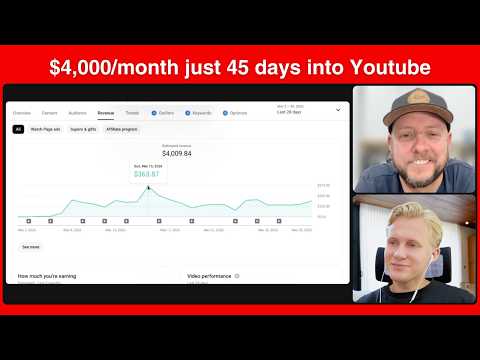
How Brian hit $4,000/month in 45 days with faceless YouTube (INSANE JOURNEY)
26 min
![$14,659 in 1 month with a faceless AI channel [FULL COURSE]](https://i.ytimg.com/vi/0l1eq9OFb0M/hqdefault.jpg)
$14,659 in 1 month with a faceless AI channel [FULL COURSE]
31 min
![How I find UNSATURATED youtube niches with AI [EASY METHOD]](https://i.ytimg.com/vi/X3VMKwnJniU/hqdefault.jpg)
How I find UNSATURATED youtube niches with AI [EASY METHOD]
21 min
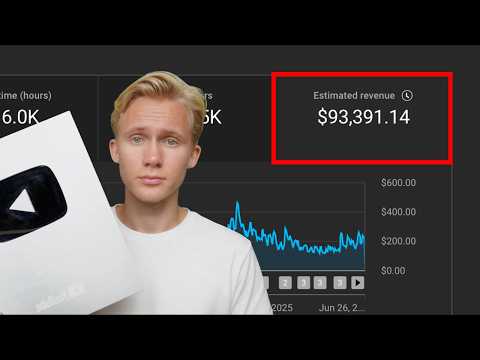
how I made $93,391 posting AI YouTube videos (as a beginner)
21 min
Want more than one video?
Search, chat, and build a knowledge base from thousands of videos.
Get started free